Running a raffle as a nonprofit is not the same as running one for a business. You need compliance tools, transparent pricing that does not eat into your proceeds, and software that volunteers can actually figure out. We reviewed 10 of the most popular nonprofit raffle software platforms for 2026, comparing real pricing, features, and limitations so you can pick the right charity raffle platform for your 501c3.
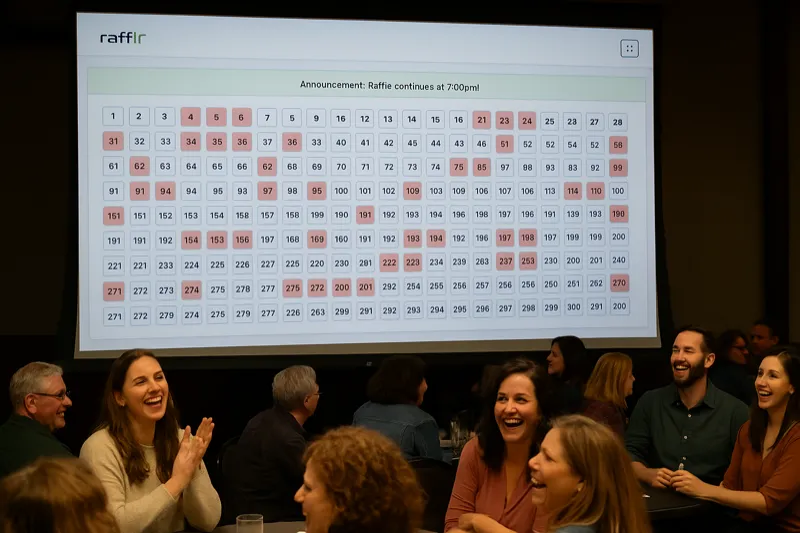
Quick Comparison: Top 10 Nonprofit Raffle Platforms
Before diving into detailed reviews, here is a side-by-side snapshot of every platform we evaluated. Scroll right on mobile to see all columns.
| Platform | Pricing Model | Best For | Online Tickets | In-Person | Free Option |
|---|---|---|---|---|---|
| rafflr | $77/raffle, $97/yr, or $497 lifetime | Reverse raffles, in-person events | ✗ | ✓ | ✓ |
| RallyUp | 0% free plan / 4% premium | Online-only raffles, multi-campaign | ✓ | ✗ | ✓ |
| Zeffy | 100% free (tip-based) | Budget-conscious small nonprofits | ✓ | ✗ | ✓ |
| BetterWorld | 0% platform fee | Simple online raffles + auctions | ✓ | ✗ | ✓ |
| Chance2Win | 5% of ticket sales | High-value prize raffles (cars, houses) | ✓ | ✗ | ✗ |
| GiveSmart | Per-event fee ($1,000+) | Large galas with auctions + raffles | ✓ | ✓ | ✗ |
| PayBee | Per-event or annual plans | Hybrid virtual + in-person galas | ✓ | ✓ | ✗ |
| Rafflecopter | $13-$84/mo (shutting down) | Social media giveaways | ✓ | ✗ | ✓ |
| RandomPicker | Free basic / $19+ premium | Drawing tool only (not ticket sales) | ✗ | ✗ | ✓ |
| GalaBid | Per-event pricing | International charity auctions | ✓ | ✓ | ✗ |
Detailed Platform Reviews
1. rafflr
rafflr is purpose-built for reverse raffles, the fundraising format where tickets are drawn and eliminated until one winner remains. It handles the in-person event experience with a professional presenter display, configurable grid layouts for up to 1,000 tickets, and real-time drawing animations that keep audiences engaged.
The flat-rate pricing means your organization keeps 100% of ticket revenue minus standard payment processing fees. There are no commissions and no per-ticket charges. For nonprofits running multiple events per year, that math adds up quickly compared to percentage-based platforms.
Where rafflr falls short: it does not sell tickets online. You handle ticket sales separately (in person, via your website, or through a separate tool) and use rafflr for the drawing event itself. If your primary need is an online storefront for raffle tickets, this is not the right tool.
- Purpose-built for reverse raffles
- Professional presenter display
- Flat-rate pricing, no commissions
- Unlimited events on any plan
- Easy for non-technical volunteers
- No online ticket sales
- Focused on in-person events
- No built-in donor CRM
- Credit card required to sign up
2. RallyUp
RallyUp is one of the most popular online fundraising platforms for nonprofits, and for good reason. It supports raffles, auctions, crowdfunding, peer-to-peer campaigns, and events all from one dashboard. The free plan charges no platform fees (just payment processing), which makes it accessible for smaller organizations.
The raffle module lets you create online ticket pages with customizable pricing tiers, early-bird discounts, and bundle deals. Donors can purchase tickets with a credit card and receive digital confirmations. The Pro plan (4% fee) adds features like custom domains, advanced analytics, and team management.
The main limitation is that RallyUp is purely online. If you are running an in-person gala or reverse raffle event, you will need a separate tool for the live drawing component.
- Free plan with 0% platform fees
- Multi-campaign support (raffles, auctions, etc.)
- Clean, mobile-friendly ticket pages
- Built-in email and donor receipts
- Solid reporting and analytics
- 4% fee on Pro plan adds up
- No in-person event tools
- Limited customization on free plan
- Can feel complex for first-time users
3. Zeffy
Zeffy is genuinely free for nonprofits. No platform fees, no monthly charges, no percentage of sales. The company sustains itself by asking donors to leave an optional tip during checkout. This model is unusual and worth understanding: some donors may feel pressured by the tip prompt, but you can minimize the suggested amounts.
The raffle feature lets you sell tickets online with customizable pages. Zeffy also handles event ticketing, donations, membership management, and peer-to-peer fundraising. For a free tool, the feature set is surprisingly comprehensive.
The trade-off is that Zeffy has fewer advanced features than paid competitors. Reporting is basic, integrations are limited, and the platform is focused on Canadian and U.S. nonprofits only. If you need sophisticated donor analytics or CRM integration, you will likely outgrow Zeffy.
- Truly 100% free for nonprofits
- No platform fees whatsoever
- Includes donations, events, and memberships
- Simple setup for basic raffles
- Tax receipt generation
- Donor tip prompt can feel awkward
- Basic reporting capabilities
- Limited integrations
- U.S. and Canada only
- No in-person drawing tools
4. BetterWorld
BetterWorld offers online raffles, auctions, and crowdfunding with no platform fees. You only pay standard credit card processing (around 2.9% + $0.30). The raffle builder is straightforward: set your ticket price, upload prize photos, and share your raffle page link.
One of BetterWorld's strengths is combining raffles with silent auctions in a single event. If your nonprofit runs an annual gala that includes both, this eliminates the need for two separate platforms. The interface is clean and volunteers can manage it without technical training.
The downside is limited customization. You cannot heavily brand your raffle pages, and the reporting tools are basic compared to platforms like RallyUp or GiveSmart. BetterWorld works best for organizations that value simplicity over feature depth.
- No platform fees
- Combined raffle + auction support
- Easy to set up and manage
- Mobile-friendly for donors
- Limited page customization
- Basic analytics
- No in-person event features
- Smaller user community
See rafflr in Action
Watch a 2-minute demo of how easy it is to run a reverse raffle with rafflr
5. Chance2Win
Chance2Win specializes in big-ticket raffles where the prize value justifies higher ticket prices, think $100+ per ticket for a chance to win a car or $50,000 cash. The platform handles online ticket sales, compliance documentation, and winner selection.
The 5% platform fee is steep compared to free alternatives, but Chance2Win provides services that justify it for the right use case: dedicated account management, marketing support, and compliance guidance for state gaming regulations. If your raffle involves prizes worth $10,000 or more, the specialized support can be worth the cost.
For standard prize raffles with lower ticket prices, the 5% fee makes less sense. A nonprofit selling $10 tickets would lose $0.50 per ticket to the platform fee alone, on top of payment processing.
- Specialized in high-value raffles
- Dedicated account management
- Compliance guidance included
- Marketing support for ticket sales
- 5% platform fee is high
- Not cost-effective for small raffles
- Limited to online ticket sales
- Fewer features outside core raffle
6. GiveSmart (by Community Brands)
GiveSmart is an enterprise-grade platform designed for large fundraising galas. It combines silent auctions, live auctions, raffles, fund-a-need appeals, and event management into one system. Guests interact via their phones using text-to-bid or a branded mobile app.
The raffle component is solid but is really a supporting feature within a broader event management suite. If your nonprofit runs major annual galas raising $50,000+, GiveSmart can handle every element. The platform includes real-time dashboards, donor management, and post-event reporting.
The cost is the main barrier. Per-event pricing starts around $1,000 and scales up based on guest count and features. This makes GiveSmart impractical for small organizations or those running frequent smaller raffles. There is also a learning curve to configure all the moving parts.
- All-in-one gala management
- Text-to-bid mobile bidding
- Strong donor analytics
- Dedicated event support staff
- Real-time event dashboards
- Expensive per-event pricing
- Overkill for raffle-only events
- Steep learning curve
- Long setup process
7. PayBee
PayBee carved out a niche during the pandemic with its virtual gala platform, and it has evolved into a hybrid solution that works for both in-person and virtual events. The raffle feature integrates with their broader event suite, which includes live streaming, auction bidding, and donation appeals.
For nonprofits with supporters spread across different geographies, PayBee's hybrid capabilities are a genuine differentiator. Remote attendees can participate in raffles alongside in-person guests, expanding your potential ticket sales beyond the venue capacity.
PayBee's pricing is not always transparent on their website, which is a common frustration. You typically need to request a quote, and costs vary based on event size and features. Some nonprofits report the setup process requiring more technical configuration than expected.
- True hybrid virtual + in-person support
- Live streaming integration
- Expands reach beyond venue
- Combined auction and raffle
- Pricing requires quote request
- Setup can be complex
- Newer platform, smaller user base
- Not ideal for raffle-only events
8. Rafflecopter
Rafflecopter was one of the original online giveaway tools, popular for social media promotions where users enter by following accounts, sharing posts, or subscribing to newsletters. It was designed primarily for marketing giveaways rather than charitable fundraising.
For nonprofits, Rafflecopter was always a stretch. It lacked compliance tools, donor management, and financial reporting. The widget-based system embedded on your website and collected entries, but did not process payments for ticket purchases. With the platform shutting down, we include it here only because many nonprofits still search for it. If that is you, RallyUp or BetterWorld are the closest alternatives for online entry collection.
- Simple social media integration
- Easy to embed on websites
- Good for growing email lists
- Shutting down operations
- No payment processing
- No nonprofit-specific features
- No compliance tools
9. RandomPicker
RandomPicker is not a raffle platform in the traditional sense. It is a random selection tool that picks winners from a list of entries you provide. Upload a spreadsheet of ticket buyers, run the randomizer, and get a verifiable, auditable result with a certificate of authenticity.
This fills a specific gap: some nonprofits sell tickets through their own website or in person, then need a transparent way to conduct the drawing. RandomPicker provides that drawing mechanism with audit trails that satisfy state gaming commission requirements in many jurisdictions.
The limitation is obvious: it does nothing for ticket sales, marketing, donor management, or event presentation. It is purely a utility tool. For nonprofits running simple raffles where ticket sales happen offline, pairing RandomPicker with a spreadsheet can work. For anything more sophisticated, you need a full platform.
- Verifiable random selection
- Audit certificates for compliance
- Very affordable
- Simple to use
- Drawing tool only, no ticket sales
- No event management features
- No donor management
- Bare-bones presentation
10. GalaBid
GalaBid is an Ireland-based platform that serves nonprofits globally, with particular strength in the UK, EU, and Australian markets. It combines silent auctions, live auctions, raffles, and donations in a single event platform. Multi-currency support and international payment processing set it apart from U.S.-focused competitors.
The raffle feature supports online ticket sales with tiered pricing, countdown timers, and automated winner notifications. GalaBid also handles in-person events with QR code check-in and mobile bidding. For international organizations or those with supporters across multiple countries, the multi-currency and multilingual capabilities are a meaningful advantage.
Pricing is quote-based and not published, which makes it difficult to compare directly. Some users report the interface feels dated compared to newer platforms. U.S.-based nonprofits may find the support hours inconvenient due to the time zone difference.
- Multi-currency and multilingual
- Strong international support
- Combined auction + raffle events
- In-person and online capabilities
- Quote-based pricing (not transparent)
- Interface can feel dated
- Support hours favor EU time zones
- Less known in U.S. market
How to Choose Nonprofit Raffle Software
With 10 platforms to consider, the decision comes down to matching your organization's specific situation to the right tool. Here is a framework that cuts through the marketing language.
Start with Your Event Format
The single most important question is whether your raffle is online, in-person, or hybrid. This immediately narrows your options:
- Online-only raffles: RallyUp, Zeffy, BetterWorld, or Chance2Win. These platforms handle ticket sales, payment processing, and winner selection entirely online.
- In-person events: rafflr (for reverse raffles) or GiveSmart (for galas with raffle components). These provide the live event experience that online tools cannot replicate.
- Hybrid events: PayBee or GalaBid. These bridge the gap between in-person attendees and remote participants.
Match Your Budget to the Pricing Model
Nonprofit raffle software pricing falls into four categories, and the right model depends on how much you raise and how often you run events:
- Percentage-based (RallyUp Pro at 4%, Chance2Win at 5%): Cost scales with revenue. Good for occasional events, expensive for high-revenue ones. A nonprofit raising $50,000 would pay $2,000-$2,500 in platform fees.
- Free / tip-based (Zeffy, BetterWorld): No direct cost, but may have limited features or rely on donor tips. Best for budget-conscious organizations just getting started.
- Flat-rate subscription (rafflr at $97/year): Predictable cost regardless of revenue. Best for organizations running multiple events or raising significant amounts per event.
- Per-event pricing (GiveSmart, PayBee, GalaBid): Fixed cost per event, often $1,000+. Makes sense only for large galas raising $50,000+ per event.
Evaluate Compliance Support
Nonprofit raffles are regulated as charitable gaming in most states. The level of compliance support varies dramatically across platforms. Before choosing, understand your state's raffle laws and what documentation you need to maintain. Some platforms provide compliance templates and reporting features; others leave compliance entirely to you.
Consider Your Technical Capacity
Be honest about your team's technical skills. A platform with extensive features is worthless if your volunteers cannot figure it out. For organizations with limited technical support, simpler platforms like Zeffy, BetterWorld, or rafflr are safer choices than enterprise solutions like GiveSmart or GalaBid.
Free vs. Paid: What Nonprofits Actually Get
The appeal of free raffle software is obvious for nonprofits watching every dollar. But "free" comes with trade-offs that are worth understanding before you commit.
What Free Platforms Offer
Zeffy and BetterWorld both operate with no platform fees, and RallyUp's free tier is genuinely usable. Here is what you can expect from free nonprofit raffle software:
- Basic online ticket sales pages
- Payment processing (you still pay credit card fees of ~2.9% + $0.30)
- Simple winner selection tools
- Basic donor information collection
- Email confirmations and receipts
What You Give Up Without Paying
Free platforms typically lack several features that matter for growing nonprofits:
- Advanced reporting: Free tools provide basic revenue numbers. Paid platforms offer donor segmentation, campaign comparison, and revenue forecasting.
- Customization: Free tier pages often carry the platform's branding. Paid plans let you use custom domains and fully branded pages.
- Integrations: Connecting to your CRM (Salesforce, DonorPerfect, Bloomerang) typically requires a paid plan.
- Support: Free users get community forums and documentation. Paid users get dedicated support, onboarding, and account managers.
- In-person event tools: Live drawing displays, presenter views, and audience engagement features are exclusive to paid platforms like rafflr and GiveSmart.
When Free Is the Right Choice
Start with a free platform if your nonprofit is running its first raffle, has a limited budget, and needs a simple online ticket page. Zeffy is the strongest option here. As your events grow in complexity and revenue, you can upgrade to a paid platform that matches your needs.
When Paying Makes Sense
Invest in paid raffle software when you are running multiple events per year, need in-person event capabilities, require compliance documentation, or when the percentage-based fees on free platforms start exceeding what a flat-rate subscription would cost. For example, if you raise $5,000 at a single event, the 4% fee on RallyUp Pro ($200) already exceeds rafflr's entire annual cost ($97).
Nonprofit Compliance: What Your Raffle Software Should Handle
Compliance is not optional for nonprofit raffles. Most states classify raffles as gambling, and nonprofits need specific licenses and permits to operate legally. Your charity raffle platform should make compliance easier, not harder.
State Gaming License Requirements
The majority of U.S. states require nonprofits to hold a charitable gaming license before running a raffle. Requirements typically include proof of 501c3 status, event details, prize descriptions, and financial reporting commitments. Some states also require background checks on key organizers.
If you are unsure about your state's requirements, our raffle compliance audit checklist walks through the key questions to answer before launching any raffle.
IRS Reporting Obligations
Raffle ticket purchases are not tax-deductible charitable contributions. This is a common misconception that gets nonprofits in trouble. Your raffle software should clearly separate raffle revenue from donation revenue in your financial reports. Winners of prizes valued over $600 must receive a 1099 form, and your organization is responsible for issuing it.
Record-Keeping Best Practices
Regardless of which 501c3 raffle tools you choose, maintain thorough records of every raffle: total tickets sold, total revenue, prize details and values, winner information, and all associated expenses. Several state gaming commissions can request these records during audits, sometimes years after the event.
Setting Up Your First Nonprofit Raffle: A Practical Timeline
Whether this is your organization's first raffle or you are switching platforms, plan for 4-6 weeks from decision to launch. Here is a realistic timeline based on what we have seen work for nonprofit organizations.
Weeks 1-2: Legal and Platform Setup
- Verify your state's raffle licensing requirements
- Apply for gaming permits if needed (some states have 30+ day processing times, so start early)
- Choose and set up your raffle platform
- Configure payment processing and test transactions
- Draft raffle rules and terms following your state's requirements
Weeks 3-4: Prize and Promotion Preparation
- Secure prizes through donations or purchases
- Photograph prizes and write compelling descriptions
- Create marketing materials (email, social media, print)
- Brief volunteers on how to sell tickets and answer questions
- Set up tracking for ticket sales and volunteer performance
Weeks 5-6: Sales Campaign and Event
- Launch ticket sales with early-bird pricing if applicable
- Execute email and social media marketing campaigns
- Monitor sales progress and adjust strategy
- Conduct the drawing event (online or in-person)
- Notify winners and distribute prizes
- Complete financial reconciliation and compliance reporting
For a detailed walkthrough of the planning process, our guide on how to organize a raffle covers each step in depth.
Frequently Asked Questions
What is the best free online raffle site for nonprofits?
Zeffy is the only truly free raffle platform for nonprofits with no platform fees. It relies on optional donor tips to sustain operations, and its feature set is more limited than paid options. For organizations running simple online raffles, Zeffy is an excellent starting point. For reverse raffles or in-person events, paid platforms like rafflr offer more specialized tools.
Do nonprofits need a special license to run online raffles?
Yes, in most U.S. states nonprofits need a charitable gaming license or permit to run raffles, even online ones. Requirements vary significantly by state. Some states like Alabama and Hawaii prohibit charitable raffles entirely. Always check your state's gaming commission website and consult legal counsel before launching an online raffle.
What percentage do online raffle platforms charge nonprofits?
Pricing varies widely. Zeffy charges 0% (tip-based model). RallyUp charges 0% on its free plan but 4% on premium features. BetterWorld charges 0% platform fees. GiveSmart charges per-event fees starting around $1,000. Flat-rate platforms like rafflr charge $97/year regardless of how much you raise, which is more cost-effective for organizations running multiple events.
Can nonprofits sell raffle tickets online legally?
In many states, yes, but with restrictions. Some states require ticket purchasers to be physically present in the state. Others prohibit online raffle ticket sales entirely. Key factors include your state's definition of "gambling," whether your raffle qualifies as charitable gaming, and whether you have the required permits. Several platforms include compliance guidance, but ultimately legal responsibility rests with the nonprofit.
What is the difference between a raffle and a sweepstakes for nonprofits?
A raffle requires purchasing a ticket for a chance to win, making it a form of gambling regulated by state gaming laws. A sweepstakes offers free entry and is regulated by consumer protection laws instead. Some nonprofits run sweepstakes to avoid gaming regulations, but raffles typically generate more revenue because participants pay to enter. The legal requirements, licensing, and tax implications differ significantly between the two.
Bottom Line: Picking the Right Platform for Your Nonprofit
There is no single "best" raffle platform for every nonprofit. The right choice depends on your event format, budget, technical capacity, and growth plans. Here are our honest recommendations based on specific situations:
- Running a reverse raffle or in-person drawing event: rafflr provides the best purpose-built experience for this specific format.
- Need free online ticket sales with basic features: Start with Zeffy or BetterWorld.
- Want a full online fundraising suite: RallyUp offers the best balance of features and pricing.
- Running a major gala ($50K+ events): GiveSmart or GalaBid handle the full event experience.
- High-value prize raffles: Chance2Win specializes in this niche.
- Hybrid virtual and in-person: PayBee bridges both worlds.
Whatever platform you choose, start with the legal requirements. No software feature matters if your raffle is not properly licensed and compliant with your state's gaming regulations. Get the legal foundation right first, then pick the tool that makes everything else easier.